eTechShout
  • TECH
  • HOW TO
    • ANDROID
    • iOS
    • WINDOWS
  • TOP LIST
  • ALTERNATIVES
  • REVIEWS
  • COMPARISON
No Result
View All Result
  • TECH
  • HOW TO
    • ANDROID
    • iOS
    • WINDOWS
  • TOP LIST
  • ALTERNATIVES
  • REVIEWS
  • COMPARISON
No Result
View All Result
eTechShout
Home ANDROID

How to Send Blank Message On WhatsApp?

by eTechShout Editor
January 8, 2021
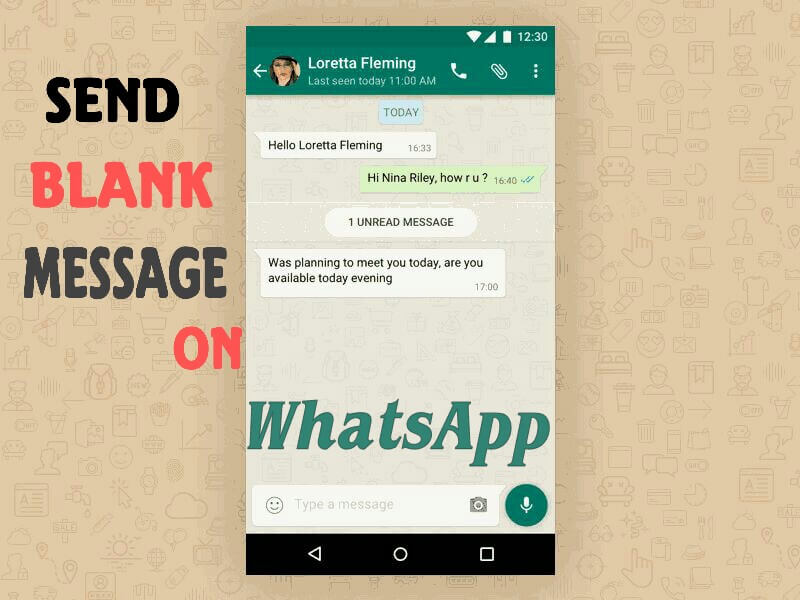
Send blank message on WhatsApp
WhatsApp has become one of the most powerful messaging apps today and widely used in different platforms. WhatsApp doesnt allow you to send blank messages. Even spaces are discarded by WhatsApp when written blank. There is no Official ways for you to send Blank Message as well as to set blank Status(About).

But Here are some funny tricks from which you can set blank status and you can send blank message. Follow these step and send Blank messages to Prank your friend.

How to Send Blank Message On WhatsApp?

  • #Method 1
  • #Method 2

#Method 1

  1.  Download Noword App From Here
  2.  Open Noword App.
  3.  Tap on Send and on the following screen, you will get option to choose from App
  4.  Now Select WhatsApp and choose the person or group with whom you want to share blank message with.
  5.  Click on Send Button
  6.  You’re Done!

#Method 2

  1.  Create a file in Notepad or Create a word document
  2.  Enter “alt+255” or “alt0160“
  3.  Now copy that file into your  phone.
  4.  Open that word document in your phone and copy the content
  5. . At last just paste it in your WhatsApp chat or WhatsApp status.

Speak Your Mind In The Comments. I Would Like To Hear What You Think 🙂

Tags: AndroidiOSWhatsapp
ShareTweetSendPinPinShareShareSend
eTechShout Editor

eTechShout Editor

Freelancer and writer who keeps a close eye on new technologies. He writes about the best apps/games, how-to tips, tutorials especially on Android, iPhone, computers, Windows, Linux, and Mac.

Related Posts

How to fix WhatsApp “Please wait a moment. App maintenance in progress” error on Android and iOS

How to Fix WhatsApp “Please wait a moment. App maintenance in progress”

August 25, 2026
Featured image for a guide showing how to fix the "Can't verify face. Hardware not available" error on Android phones

How to Fix “Can’t verify face. Hardware not available” Error on Android

August 5, 2026
Complete guide to fix the WhatsApp "Unable to restore your chats from this backup" error on Android and iPhone

How to Fix WhatsApp “Unable to restore your chats from this backup”

July 17, 2026
Guide showing how to fix the System UI keeps stopping error on Android phones

How to Fix System UI Keeps Stopping on Android (6 Working Fixes)

June 26, 2026

Recent Posts

How to fix ZArchiver Operation Completed With Errors on Android

How to Fix ZArchiver Operation Completed with Errors [100% Works]

August 28, 2026
Complete guide on fixing Access is Denied error in ZArchiver on Android

ZArchiver Access is Denied? 6 Easy Ways to Fix It!

August 27, 2026
How to fix WhatsApp “Please wait a moment. App maintenance in progress” error on Android and iOS

How to Fix WhatsApp “Please wait a moment. App maintenance in progress”

August 25, 2026

How to Fix VLC Media Player Slow to Open (Windows 10 & 11)

August 24, 2026
Guide to fixing YouTube Shorts not showing on the homepage on mobile and desktop

How to Fix YouTube Shorts Not Showing on Homepage [100% WORKS]

August 20, 2026
  • Disclaimer
  • Privacy
  • Contact Us
  • About Us
  • eTechShout Team

Copyright © 2026 All Rights Reserved.

No Result
View All Result
  • TECH
  • HOW TO
    • ANDROID
    • iOS
    • WINDOWS
  • TOP LIST
  • ALTERNATIVES
  • REVIEWS
  • COMPARISON

Copyright © 2026 All Rights Reserved.