eTechShout
  • TECH
  • HOW TO
    • ANDROID
    • iOS
    • WINDOWS
  • TOP LIST
  • ALTERNATIVES
  • REVIEWS
  • COMPARISON
No Result
View All Result
  • TECH
  • HOW TO
    • ANDROID
    • iOS
    • WINDOWS
  • TOP LIST
  • ALTERNATIVES
  • REVIEWS
  • COMPARISON
No Result
View All Result
eTechShout
Home ANDROID

How to Download WhatsApp Stories On Android

by eTechShout Editor
January 8, 2021

WhatsApp is One of the Popular Messaging App over 1 billion users in 180 Countries. It became much popular in short period because of it’s secure, simple, reliable messaging and calling service.
In 2014 Facebook bought WhatsApp, but still, it continues to operate as a separate app. However, after joining to Facebook, WhatsApp made lots of changes in their App and introduced lots of new options.

Recently they have introduced “WhatsApp Stories” feature, which is similar to Snapchat & Instagram stories. Through WhatsApp Stories, users can Share Images and Videos of 30 seconds as a Status. You may also like How to Get Duplicate Adhaar Card? If You Lost/Misplaced Original

But one main worst part of this feature is Updated Status will be deleted Automatically after 24 Hours!
So that you can’t download or Save the Images or Videos that is shared by your friends. Officially there is no option to save or Download it.

If you hate it then here is a solution. You can download WhatsApp Stories using Third party apps.
So follow below steps to Download Stories in your phone 🙂

Method 1:- (Using WhatStory App)

1) Download WhatStory App From PlayStore

2) After Installation, Open the App

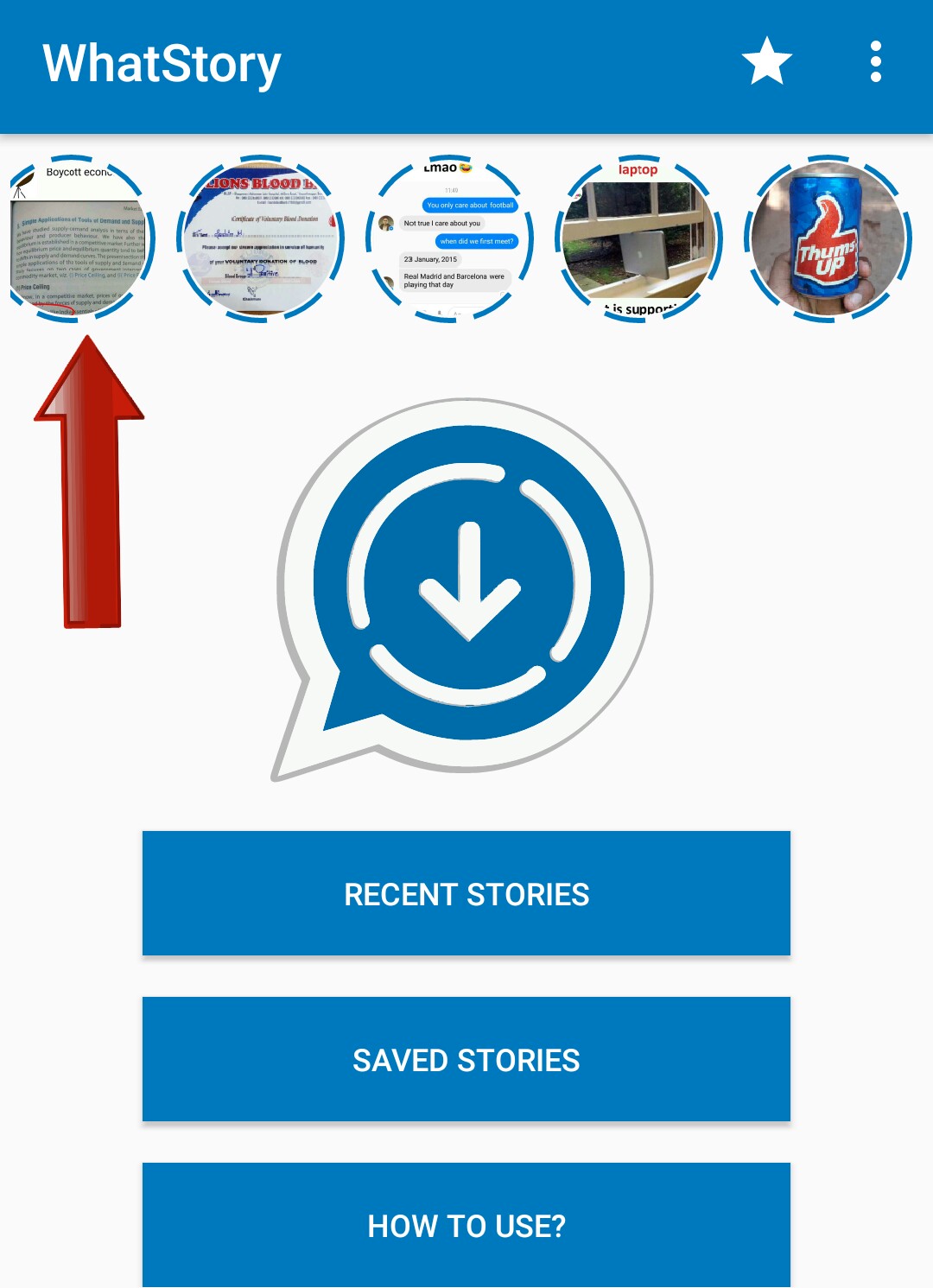
3) Now Click On Any Story of your Friend that you want to Download/Save
4) After Clicking you’ll get a Download icon
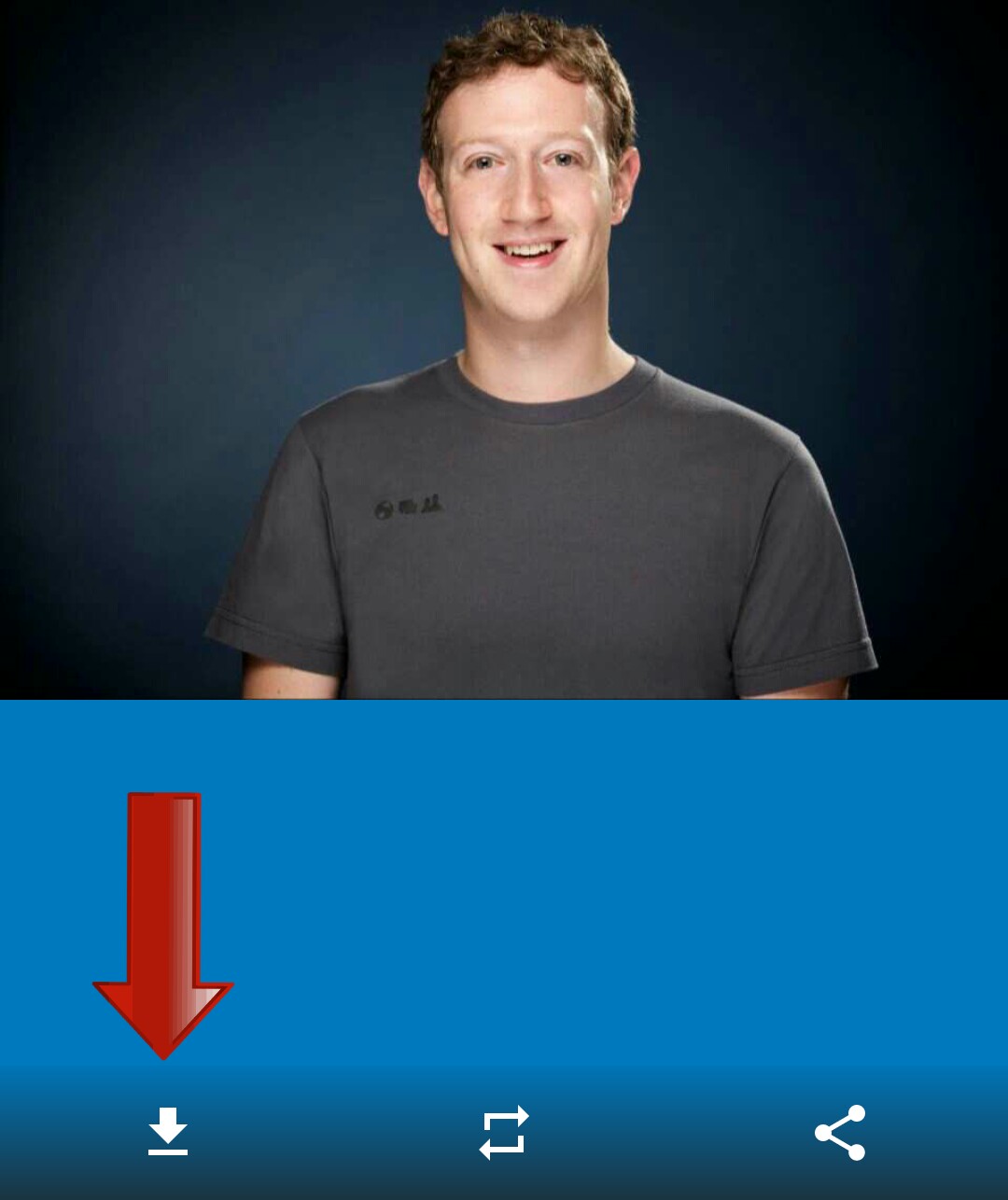
5) That’s it! You’ve Successfully saved Story in your gallery. You can view it anytime.

Also Read:-

Things to Consider Before Buying a Good Laptop

Method 2:- (Using Click2Chat App)

1) Download Click2Chat WhatsApp App From PlayStore

2) After installing, Open the App & Click on “Stories”
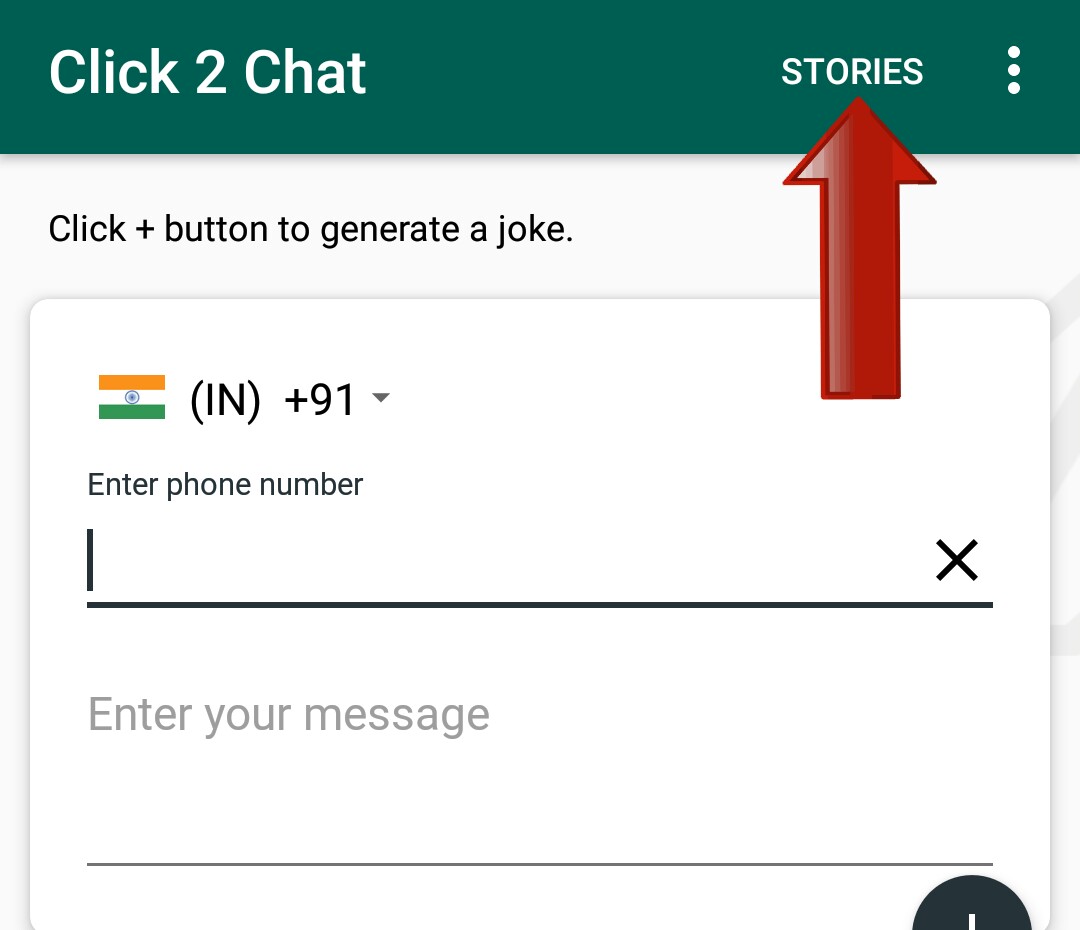

3) Now Select Story of your Friend that you like to Save it in your gallery

4) You will get an Option Of Download & click on it
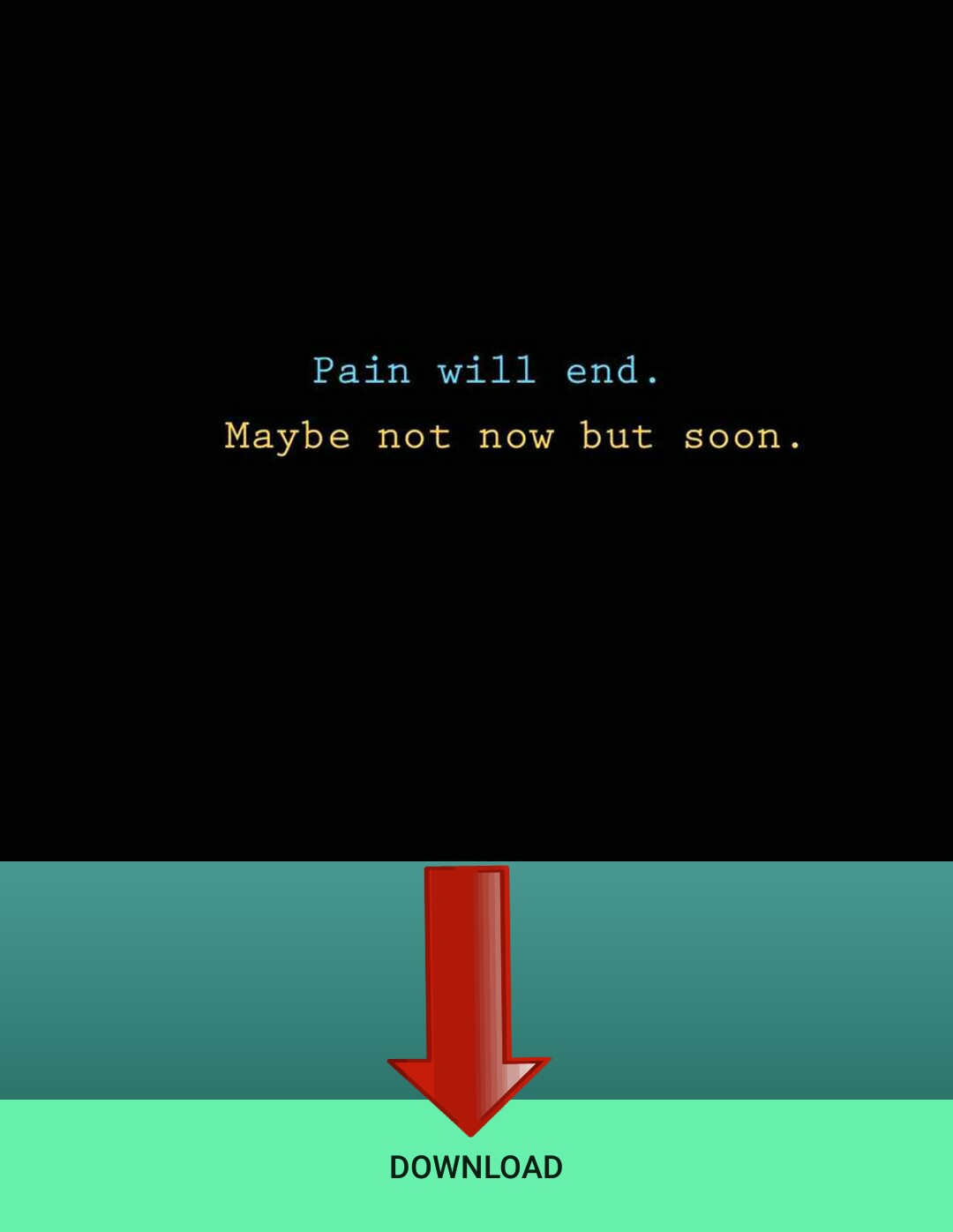
5) Done! Image/Video Story Of your Friend is stored in your Gallery.

So guys, From these 2 Apps you can Download and view WhatsApp Story image or Videos of your Friend any time.

Hope you like this Article. Keep visiting us for more!
Feel free to comment for any Queries & Problem. 🙂


Tags: AndroidWhatsapp
ShareTweetSendPinPinShareShareSend
eTechShout Editor

eTechShout Editor

Freelancer and writer who keeps a close eye on new technologies. He writes about the best apps/games, how-to tips, tutorials especially on Android, iPhone, computers, Windows, Linux, and Mac.

Related Posts

How to fix WhatsApp “Please wait a moment. App maintenance in progress” error on Android and iOS

How to Fix WhatsApp “Please wait a moment. App maintenance in progress”

August 25, 2026
Featured image for a guide showing how to fix the "Can't verify face. Hardware not available" error on Android phones

How to Fix “Can’t verify face. Hardware not available” Error on Android

August 5, 2026
Complete guide to fix the WhatsApp "Unable to restore your chats from this backup" error on Android and iPhone

How to Fix WhatsApp “Unable to restore your chats from this backup”

July 17, 2026
Guide showing how to fix the System UI keeps stopping error on Android phones

How to Fix System UI Keeps Stopping on Android (6 Working Fixes)

June 26, 2026

Comments 1

  1. Anonymous says:
    9 years ago

    Thanks broder. Yourstory app is gud

Recent Posts

How to fix ZArchiver Operation Completed With Errors on Android

How to Fix ZArchiver Operation Completed with Errors [100% Works]

August 28, 2026
Complete guide on fixing Access is Denied error in ZArchiver on Android

ZArchiver Access is Denied? 6 Easy Ways to Fix It!

August 27, 2026
How to fix WhatsApp “Please wait a moment. App maintenance in progress” error on Android and iOS

How to Fix WhatsApp “Please wait a moment. App maintenance in progress”

August 25, 2026

How to Fix VLC Media Player Slow to Open (Windows 10 & 11)

August 24, 2026
Guide to fixing YouTube Shorts not showing on the homepage on mobile and desktop

How to Fix YouTube Shorts Not Showing on Homepage [100% WORKS]

August 20, 2026
  • Disclaimer
  • Privacy
  • Contact Us
  • About Us
  • eTechShout Team

Copyright © 2026 All Rights Reserved.

No Result
View All Result
  • TECH
  • HOW TO
    • ANDROID
    • iOS
    • WINDOWS
  • TOP LIST
  • ALTERNATIVES
  • REVIEWS
  • COMPARISON

Copyright © 2026 All Rights Reserved.